Here is the dashboard view of the iSmartOffice™ Clinic web app.
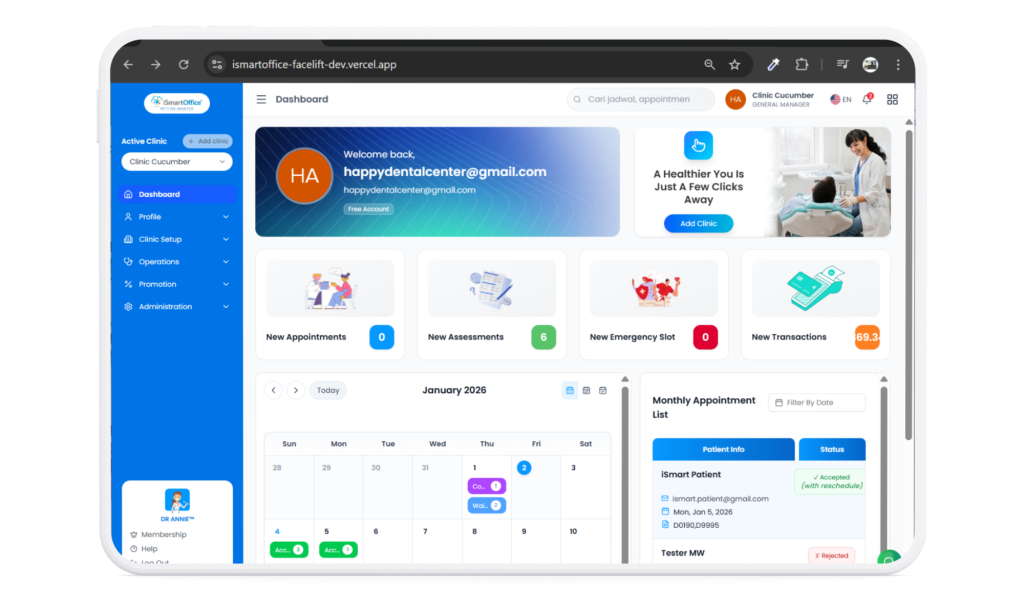
- On the left side, you’ll see the main navigation panel, which gives you access to all core features — including Clinic Setup for managing clinic information, Operations to handle daily activities, Promotion for creating special offers, and Administration for managing overall clinic tasks.
- At the center of the dashboard, you’ll find your clinic information, and four quick-access widgets showing your daily appointment overview — from the total number of visits to brief details about the patients who have booked.
- Below, there are calendar to show an overview of appointments your clinic have, and beside it is a list of the appointments where you van directly take action like accept, reject, or reschedule the appointments.
With this dashboard, you get a clear snapshot of your clinic’s activity, helping you monitor and manage everything efficiently from one place.