This section explains how to log in, register, or recover your account in iSmartOffice™ Patient.
A) Login
Login page will appear from the click on the dashboard button if you’re haven’t logging in before.
If you already have an account, enter your email and password, then tap Continue.
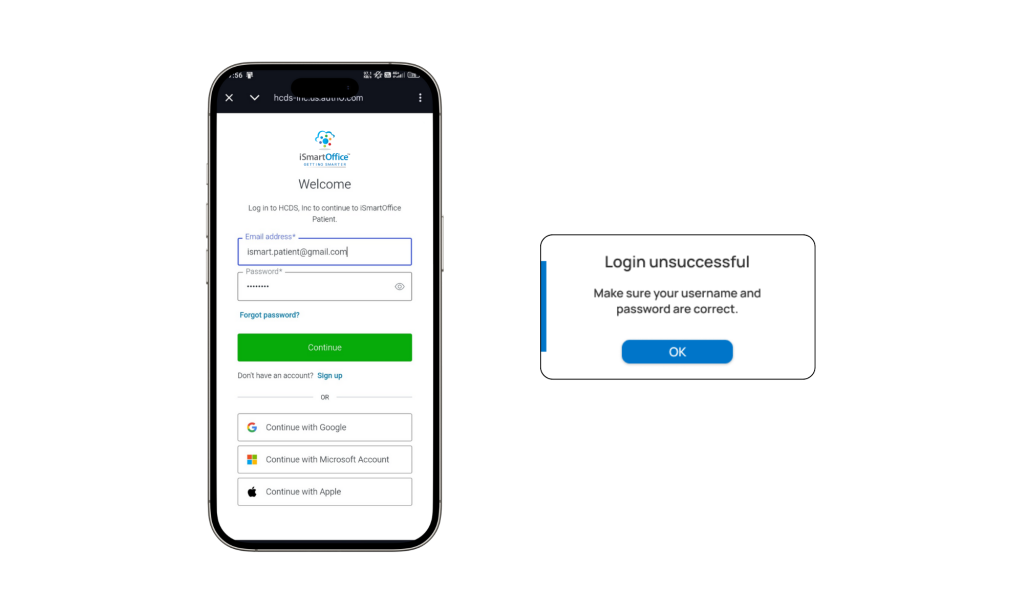
- A pop-up message will appear if the email or password is incorrect.
- Once the credentials are correct, the app will display the Enter Clinic Group page.
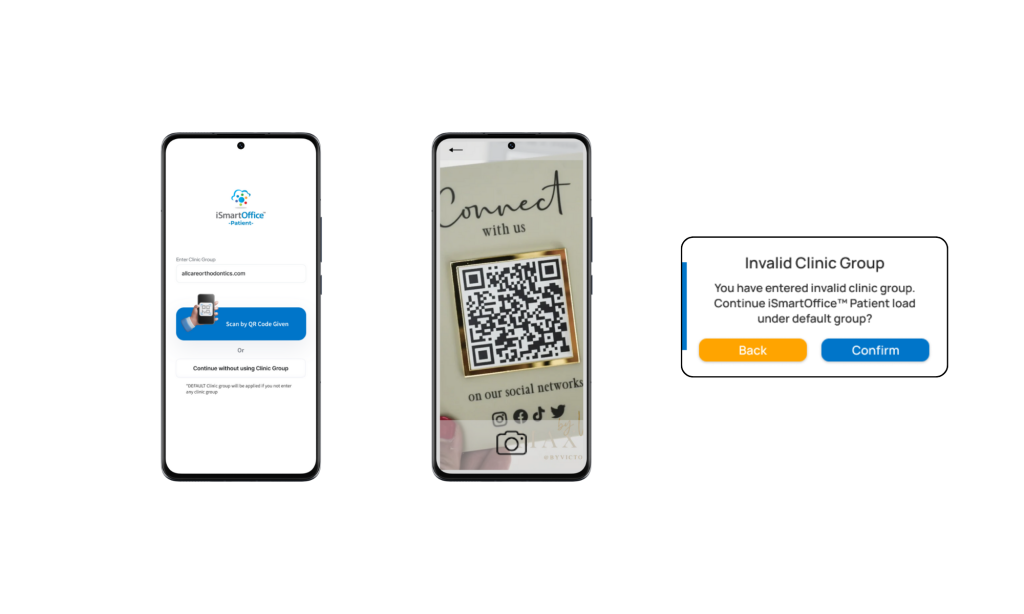
- Type the Clinic Group name, or
- Scan the QR code previously provided by your clinic.
If you don’t have any clinic group information, simply proceed without entering one by clicking Continue without using Clinic Group.
Clinic Group is a system that connects you with clinics under a specific group. If you continue without selecting a clinic group, all available clinics will appear in your clinic search results — sorted by distance and/or relevance.
Once this step is complete, you will be directed to the main Dashboard of iSmartOffice™ Patient.
B) Sign Up
To create a new iSmartOffice™ Patient account is basically the simple, same steps as to log in. Hit Sign up button below the login page and do the same steps as fill your email address and password.
C) Change Password
If you’ve forgotten your password:
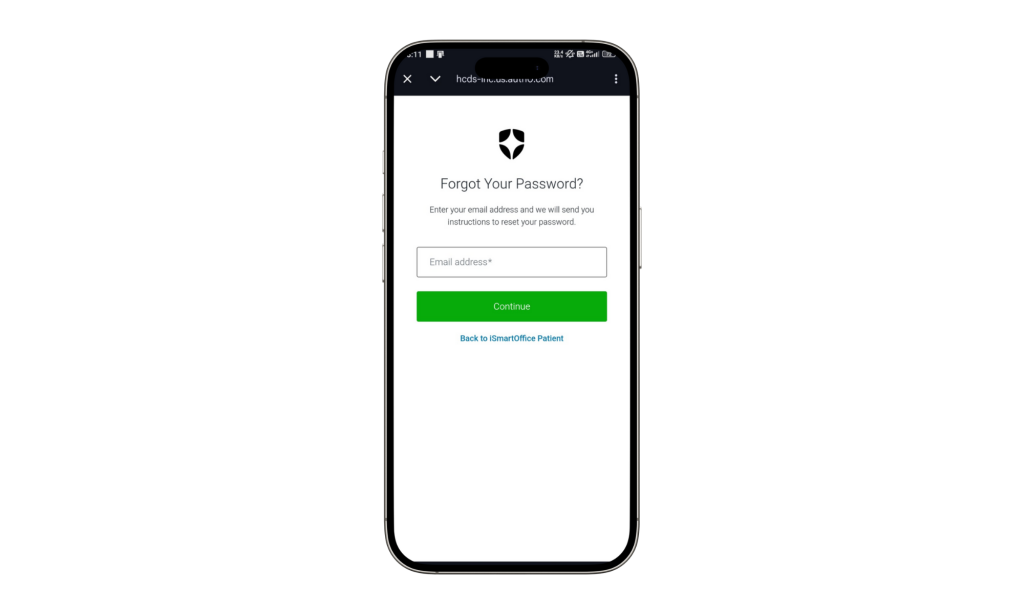
- Tap “Forgot Password?” below the login fields.
- A pop-up will appear asking you to enter your email address.
- The system will send a password reset link to your email.
- Open the link and follow the steps to create a new password.
D) SSO Login
You can also log in or register instantly using Single Sign-On (SSO):
- Google Account
- Apple ID
Both options allow quick access — and if you don’t have an existing iSmartOffice™ account, the system will automatically create one for you during the first login.
Tips:
- Make sure you have a stable internet connection before using the app.
- If the login process feels slow, please wait a few seconds — the system is verifying your account.
- Use an active email address to easily reset your password or receive important updates.
- Use a strong password that includes uppercase, lowercase, and numbers.
- Double-check your email address — a verification link will be sent there.
- If you don’t receive the email, check your spam or junk folder.