This is iSmartOffice™ Patient. If you haven’t download the app yet, please download from the button below.
When you first open the app, you’ll see an introductory (boarding) screen that explains the basic functions of iSmartOffice™ Patient.
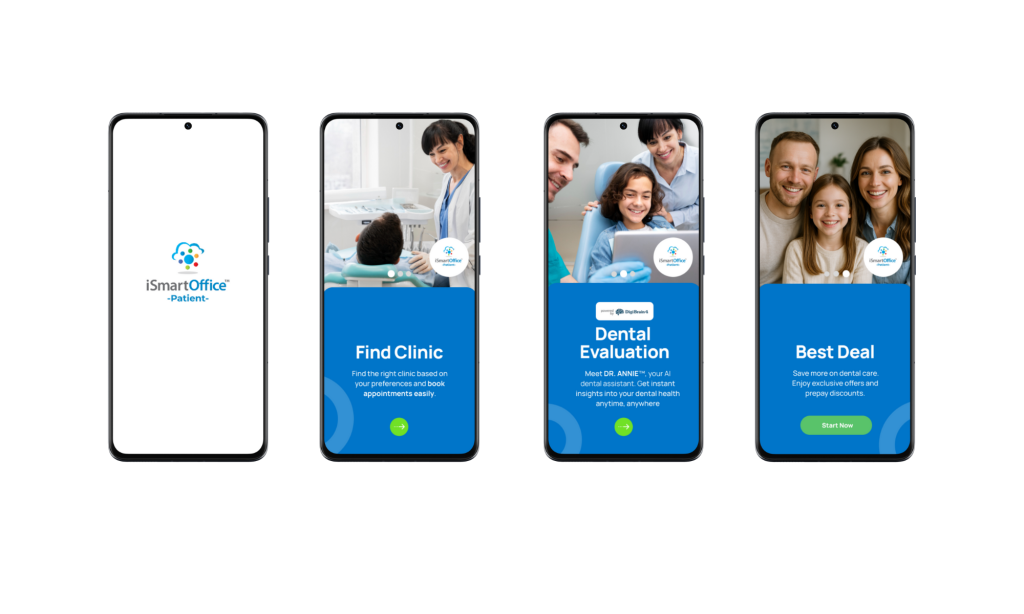
Tap Start Now, then choose your preferred language.
After selecting a language, you will see a preview of the iSmartOffice™ Patient dashboard app.
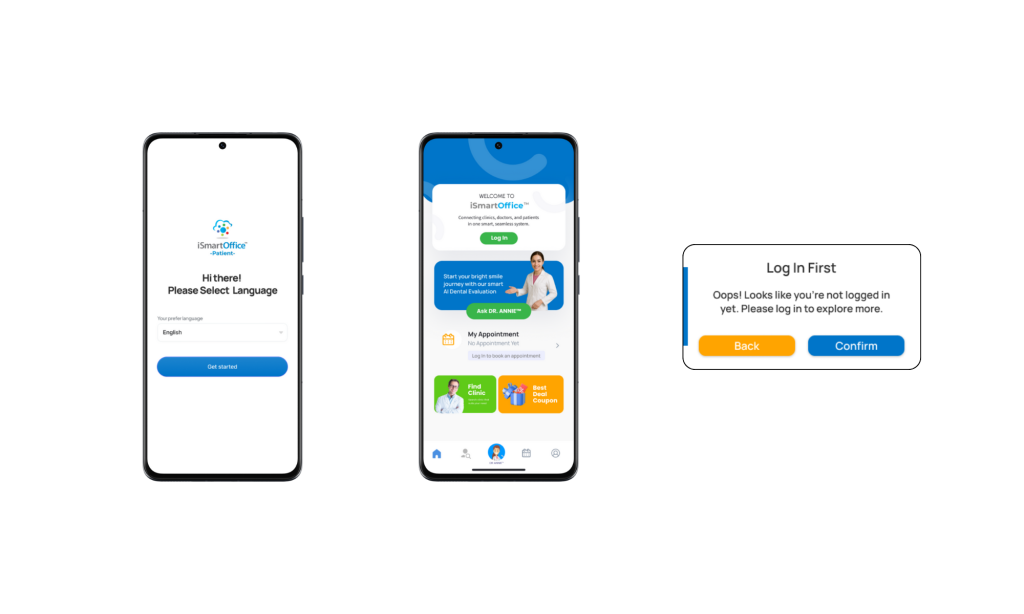
Note: You can change your language preference anytime in the Profile menu.
This dashboard provides a preview of some available features, though many will only be accessible once you log in or register.
To continue, please log in or create a new account.