A) Accessing Patient Evaluations
When a patient has released their dental evaluation:
- Open the DR. ANNIE™ section
- Select a case assigned to you
B) Evaluation Details
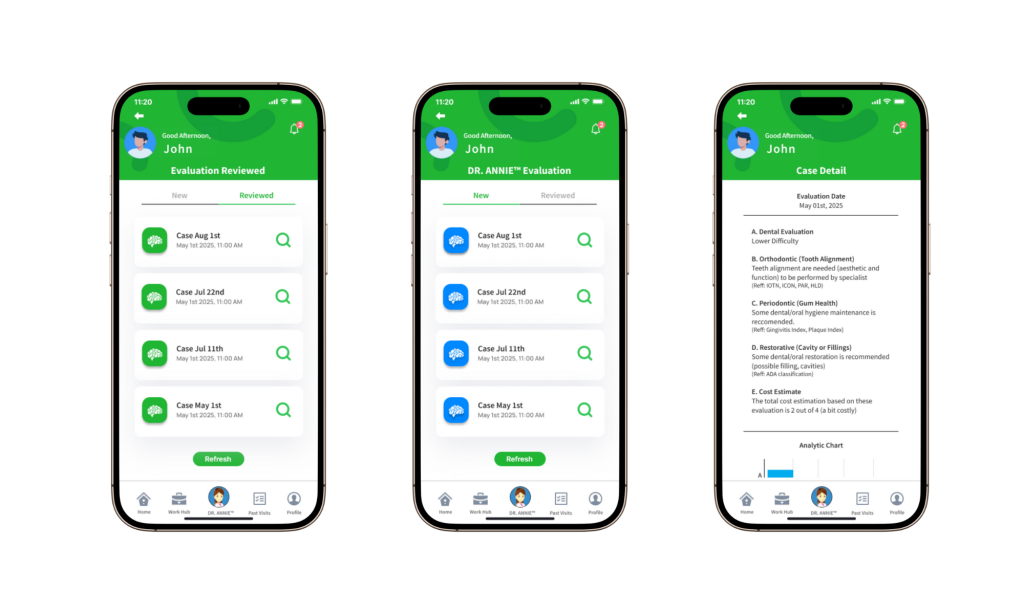
Each evaluation includes AI-generated insights such as:
- Tooth alignment
- Gum health
- Cavities or fillings
- Estimated treatment costs
These results are generated by the DR. ANNIE™ AI system to provide a clear overview of the patient’s oral condition.
C) Adjusting AI Evaluation
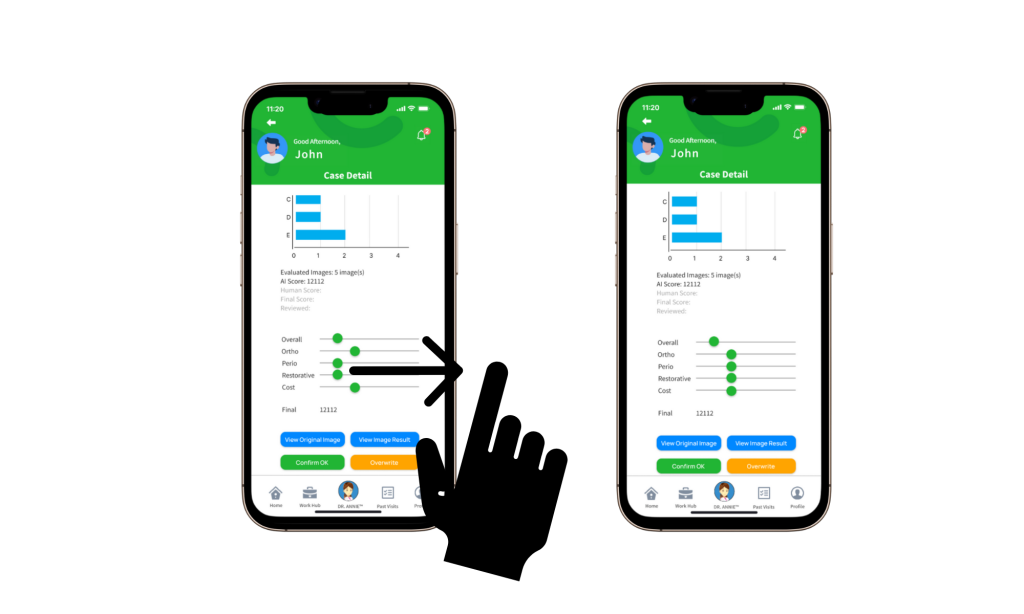
If the AI assessment does not fully reflect your professional judgment:
- Adjust the evaluation scores using the provided toggles
- Overwrite the AI-generated results with your updated assessment
The updated evaluation will be used as the reference for both you and the patient in future visits.